


We published this post in April 2019, when Gmail was celebrating its birthday. Google’s email service was born on April 1, 2004 and, a few years later, many of us had left Hotmail behind to move to it.
To celebrate 15 years, Google presented several new features, among them the ability to schedule emails and Smart Compose. We keep the record of that announcement, and we reviewed it in November 2026 to tell you how the feature is used today and what it has to do with your company email.

In 30 seconds
- What Google announced in April 2019: scheduled sending, Smart Compose in more languages and interactive emails.
- Scheduled sending: you write the email now and choose the day and time it should go out.
- Current limit: you can have up to 100 scheduled emails at a time.
- What changed: G Suite was renamed Google Workspace and Gmail added artificial intelligence features.
- For your company: a domain uses a single email platform; it is worth choosing it according to the features your team needs.
Write now, send later
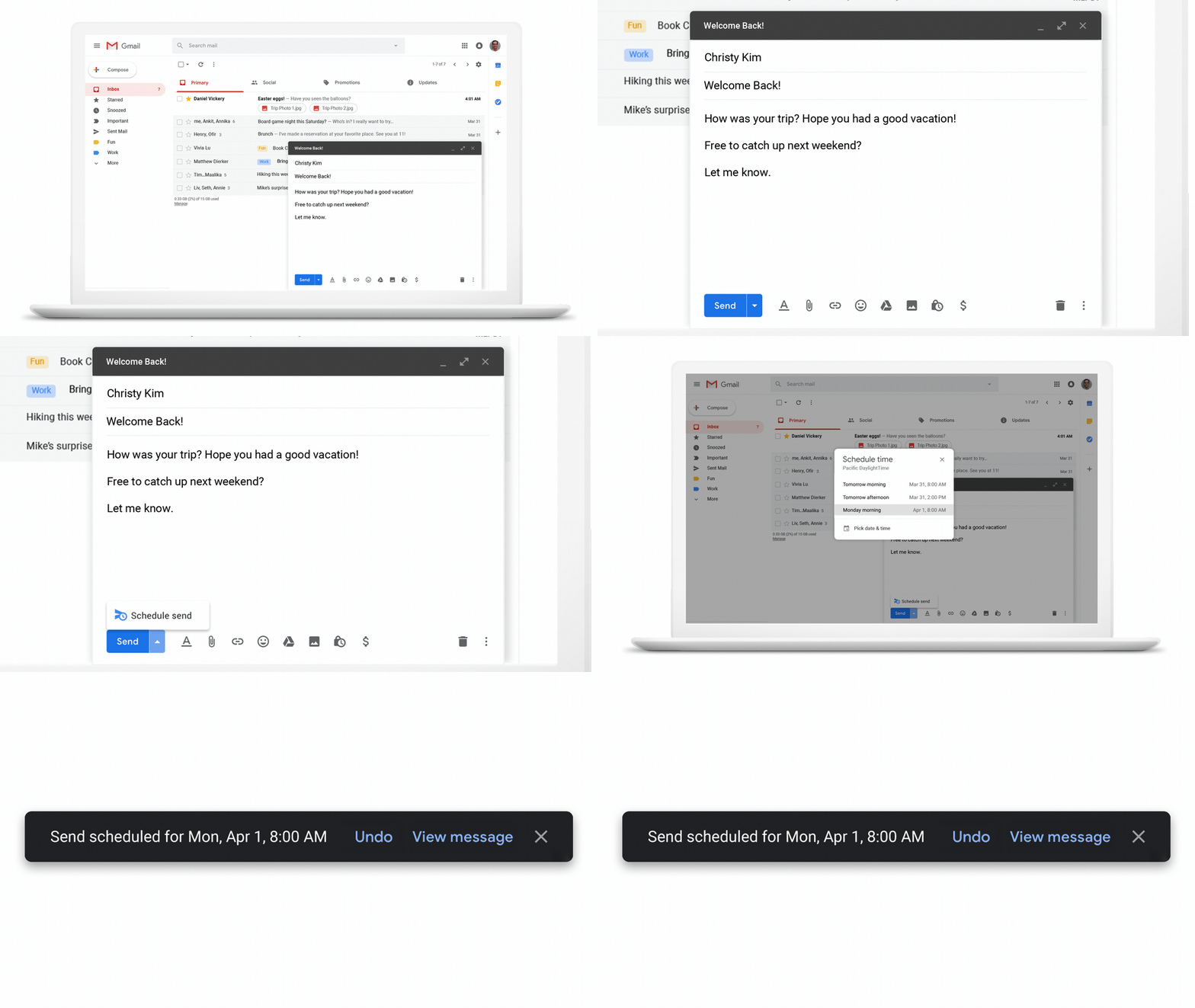
The send-later feature already existed, but it was somewhat hidden among the experimental options. With the announcement it became available to everyone: any email could be scheduled for a later day and time, even if you wrote it at 3:00 a.m., when the mind is most active.
Smart Compose in Gmail
Google was one of the companies leading the development of artificial intelligence. With tools such as Google Duplex it had managed to make automatic phone calls, for example to book an appointment at a hair salon.
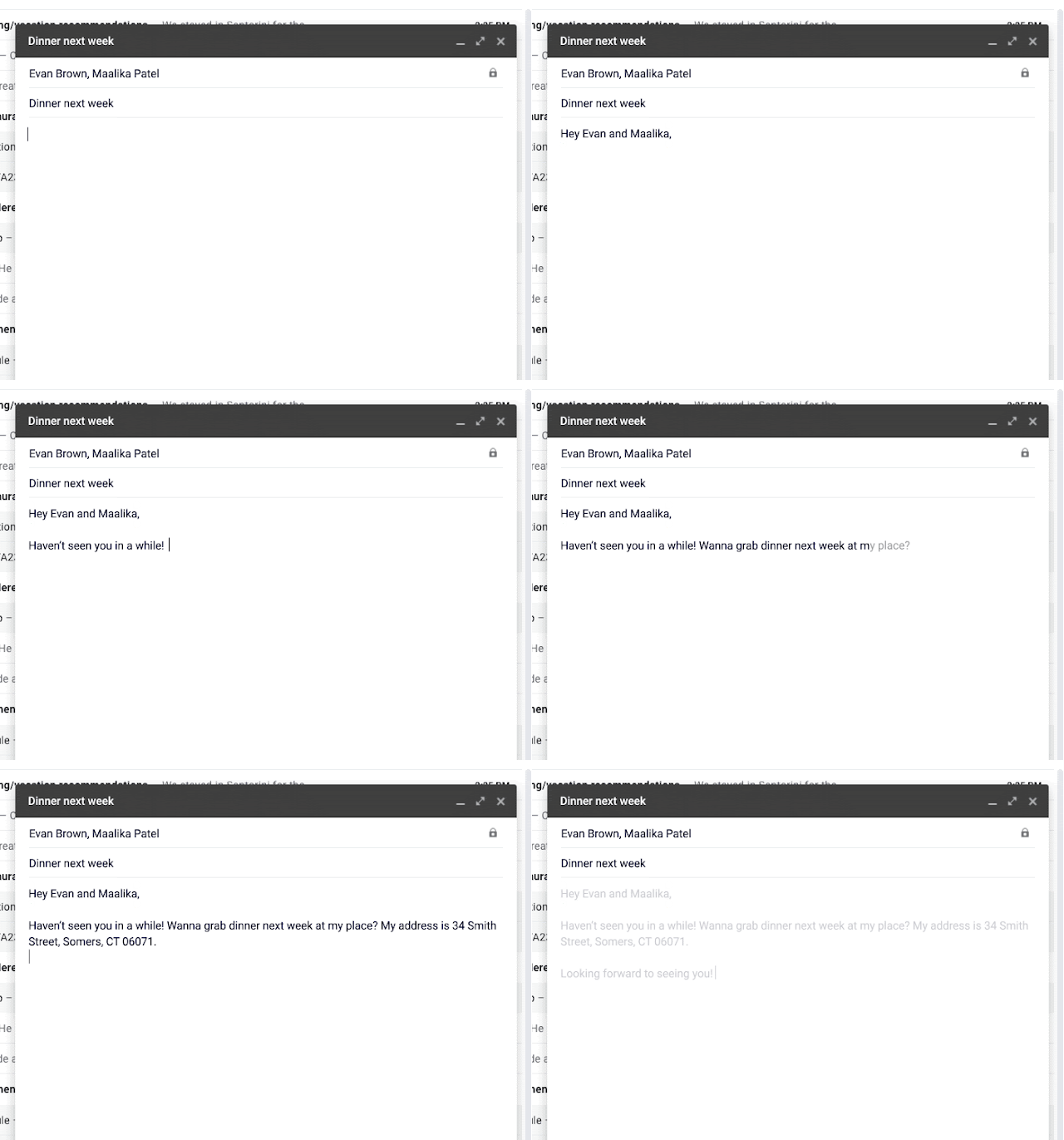
In email, the bet was Smart Compose, which suggests how to finish sentences so you write faster. According to company data, the feature saved users typing up to 1 billion characters every week. The 2019 announcement took it first to Android, and later to iOS, in Spanish, French, Italian and Portuguese.
Smart Compose adapts to the way each person writes: depending on the context, it proposes the greetings they use most and even suggests a subject line based on the body of the message.
More interactive emails
Shortly before, Google had announced AMP for Email, designed to make emails more interactive: replying inside the message to a comment thread in Google Docs, booking an appointment or filling in a questionnaire.
As usual, the new features were turned on gradually: some users received them before others.
How to schedule an email in Gmail today
The feature is still in Gmail and works the same way on a computer and on a phone:
- Write the email as usual, with recipient and subject.
- Open the sending options. On a computer, the arrow next to the “Send” button; on a phone, the “More” menu.
- Choose “Schedule send” and pick one of the suggested times or set the day and time.
- Check the “Scheduled” folder. Pending emails stay there.
- Change or cancel if needed. When you cancel the send, the email becomes a draft again, which you can edit and schedule once more.
According to Gmail Help, you can have up to 100 scheduled emails at the same time.
What changed since 2019
| In 2019 | Today |
|---|---|
| Scheduled sending was a novelty | It is an ordinary Gmail feature, with a limit of 100 scheduled emails at a time. |
| Google’s business email was called G Suite | It has been called Google Workspace since 2020. We tell the story in G Suite is now Google Workspace. |
| Smart Compose completed sentences | Google included its artificial intelligence features in the Business and Enterprise plans of Workspace starting January 15, 2025, according to its official blog. |
What it means for your company email
Scheduled sending and Smart Compose are Gmail features. If your company uses another email service, what you can do depends on the platform and on the program you read it with. That is why it is worth being clear about which email your domain has.
In the web hosting plans by Damos, all of them include the webmail platform, with email accounts on your own domain. As a complementary service, you can also opt for corporate email outside the hosting with the Google Workspace platform.
One detail avoids confusion: a web domain can only use one email platform at a time. It is not possible to have some accounts on the hosting and others on Google with the same domain, so the decision is made for the whole company. If you are not sure which one suits you, review the hosting plans and the comparison of email platforms outside your hosting.
Frequently asked questions
How do I schedule an email in Gmail?
Write the email, open the options next to the send button, choose “Schedule send” and pick the day and time. The email stays in the “Scheduled” folder until it goes out.
How many emails can I schedule in Gmail?
Up to 100 scheduled emails at the same time, according to Gmail Help.
Can I cancel a scheduled email?
Yes. In the “Scheduled” folder, open the email and cancel the send. The message becomes a draft again, which you can edit and schedule once more.
Since when can emails be scheduled in Gmail?
Google announced it for all users in April 2019, when Gmail turned 15.
Can I use Gmail with my company domain?
Yes, with Google Workspace. Keep in mind that a domain can only use one email platform at a time: either the hosting email or an external platform.
Not sure which email platform suits your company?
Tell us how many accounts you need and how your team works, and we will review it with you.
Let us talkKeep reading
Sources: Google Cloud blog, announcement for the 15 years of Gmail (April 2019) · Gmail Help, schedule emails to send · Google Workspace blog (January 2025). The original post summarized a publication by ENTER.CO, which we adapted and reviewed. Images: Google and ENTER.CO. Post published in April 2019 and reviewed in November 2026.