


In July 2018, with version 68, Google Chrome began marking every website that did not use HTTPS as “Not secure”. We published this article that month, as a notice for anyone who still had no SSL certificate.
Eight years later the topic moved again: since October 2026 Chrome no longer just shows a label, it asks permission before opening a public site without HTTPS. Here we keep what we explained in 2018, correct what changed and leave you a checklist to review your site today.
In 30 seconds
- 2018: Chrome 68 marked all HTTP pages as “Not secure”.
- 2023: the padlock in the address bar was replaced by a settings icon; HTTPS became the norm, not a reward.
- 2026: with Chrome 154, the browser asks permission before opening a public site without HTTPS.
- For your company: a site without a certificate, or with an expired one, loses visits before the page even loads.
The 2018 announcement: without HTTPS, your site is “Not secure”
Google announced that, starting in July 2018, it would mark as not secure the web pages that had no SSL security certificate installed and did not use the HTTPS protocol. That affected the user experience, the trust people had when browsing the site and, as a result, traffic and search rankings.
Google gives great importance to security on the web. Since 2014 it had been announcing that HTTPS encryption would count positively for rankings. At first the effect was small, but over the years pages with an SSL certificate became the norm among the top results.
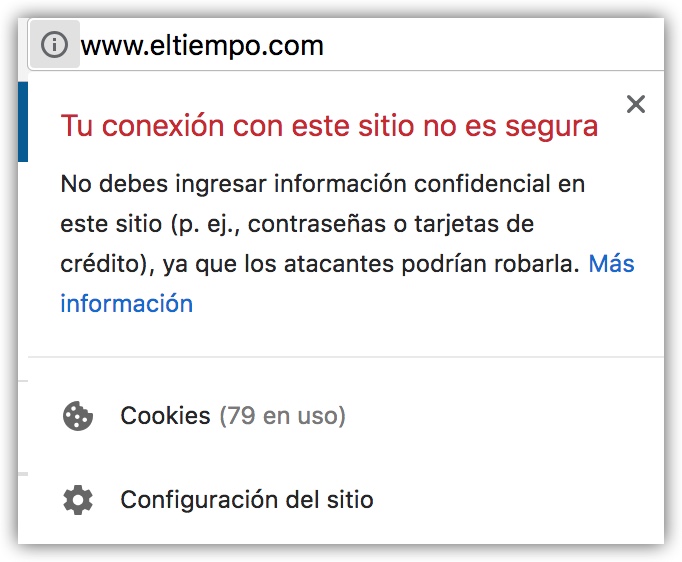
In addition, Chrome showed a closed green padlock in the address bar when a site used HTTPS, and an icon with an information “i” when it had no certificate. Clicking that “i” opened a message warning that the connection was not secure and that you should not type confidential information on that site.
How Chrome displayed a site with and without HTTPS
This is how Chrome displayed a site on HTTP, that is, without SSL, in 2018:
And this is how it displayed a secure site, with HTTPS:
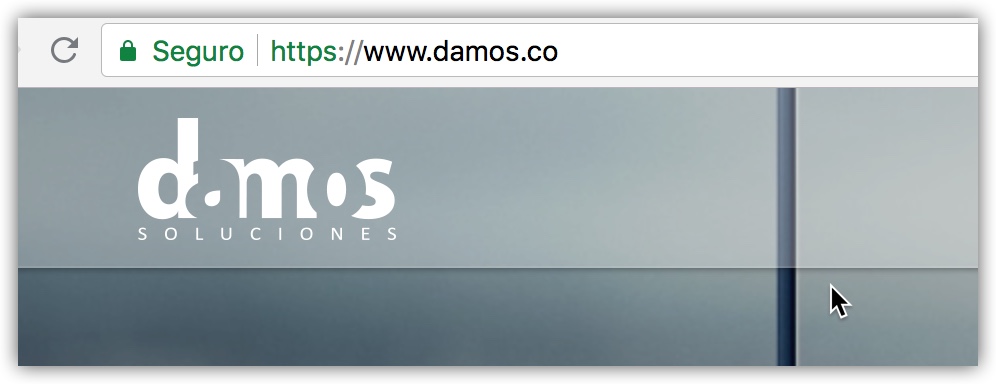
These screenshots belong to that period. The green padlock no longer exists: further down we explain how it looks today.
Chrome 68: all HTTP pages marked
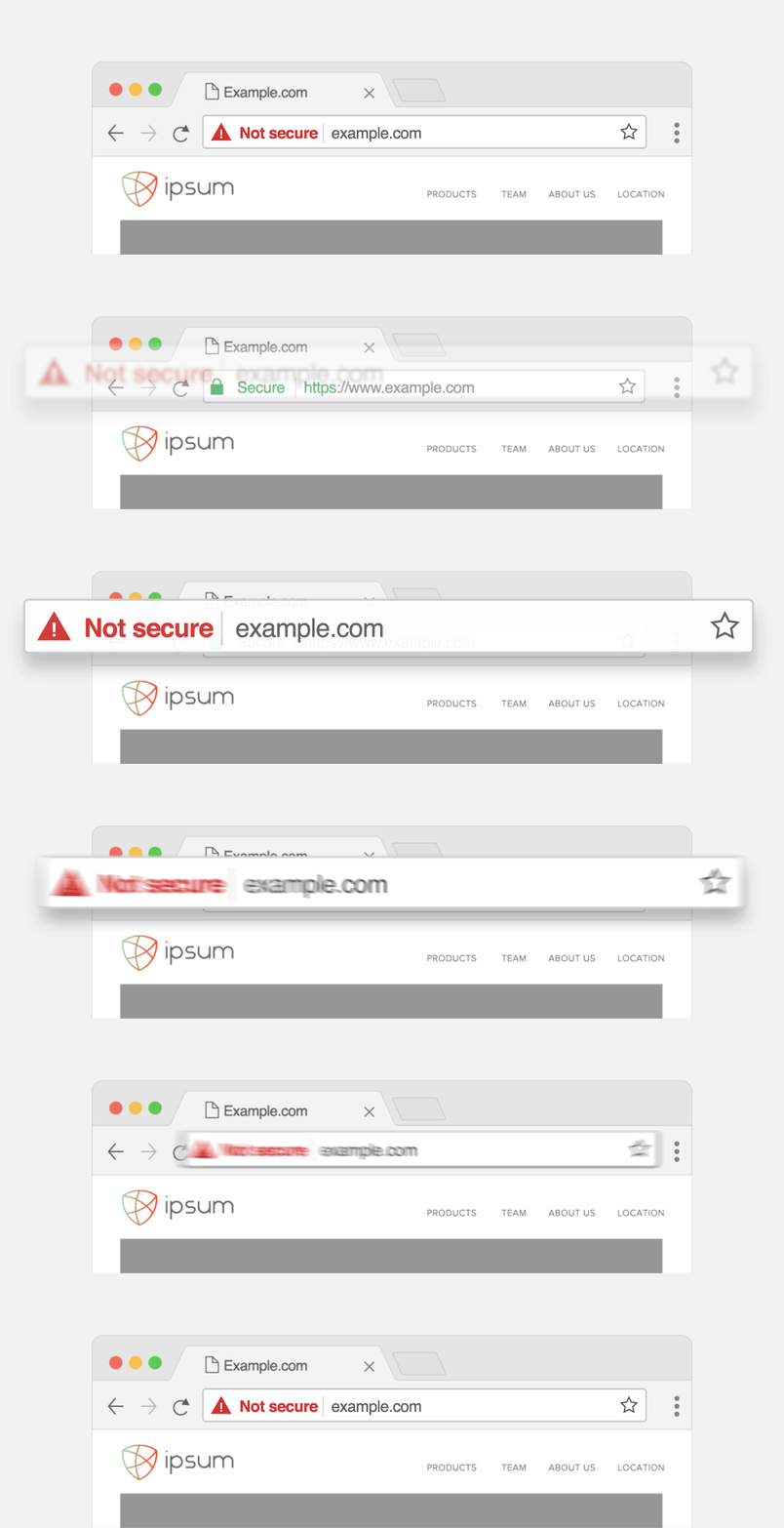
The change arrived with Chrome 68, released in July 2018, as the company explained on its Chromium development blog. Since that version, the browser identifies every site using the HTTP protocol as “Not secure”.
The decision aimed to make users aware of the risks of pages without encryption, as Emily Schechter, Chrome Security Product Manager, said in the company’s post.
It was not a sudden change. In 2017 Chrome had already begun marking a share of HTTP sites as “Not secure”; with Chrome 68 the label was applied to all of them.
By then, according to the data shared by Chrome, HTTPS already exceeded 68% of the browser’s traffic on Android and Windows and 78% on Chrome OS and Mac, and 81 of the 100 most popular sites used it.
Advantages of installing an SSL certificate
If you still doubt the importance of installing an SSL certificate on your online store or website, keep in mind that it is not only a technical matter. These are its advantages:
- It encrypts the communication between your customer’s browser and the server, so that a third party cannot read or alter it along the way.
- It builds trust in your brand: visitors see no risk notices when they arrive or fill in a form.
- That trust shows in conversions: nobody leaves their details or pays on a page the browser marks as not secure.
- It helps rankings: HTTPS is one of the signals Google takes into account. It is not the strongest, but a site without HTTPS starts at a disadvantage.
- It ensures compatibility: several features of modern browsers, such as location or notifications, only work over HTTPS.
- It protects data in transit. A clarification on the original version of this article: the certificate alone does not prevent someone impersonating a site. It guarantees that the connection with that domain is encrypted, not that the domain owner can be trusted.
We tell you more in this post: What Is an SSL Certificate and Why Is It Important?
What changed since 2018
What was news in 2018 is the starting point today. This is the timeline:
| Year | What Chrome did |
|---|---|
| 2018 | Chrome 68 marks all HTTP pages as “Not secure”. |
| 2022 | The optional “Always Use Secure Connections” setting appears; it tries to open everything over HTTPS. |
| 2023 | Chrome 117 replaces the padlock with a settings icon: HTTPS stops being shown as a special sign of trust. |
| April 2026 | Chrome 147 turns the setting on for people using Enhanced Safe Browsing. |
| October 2026 | Chrome 154 turns it on by default for all users, on public sites. |
The underlying idea changed: before, the browser rewarded the secure site with a green padlock; now it assumes every site is secure and only interrupts when one is not.
October 2026: Chrome asks permission before opening an HTTP site
Google announced it a year in advance on its security blog (HTTPS by default) and confirmed the rollout on 21 October 2026 (Chrome now warns before insecure HTTP connections). In practice:
- Chrome tries to open every address over HTTPS. If the site does not support it, the browser shows a warning and the user must accept to continue.
- The warning applies to public sites. Private addresses, such as an intranet or a device on the local network, are left out.
- The user can turn the setting off.
For a business, the difference with 2018 is significant. A grey label in the address bar was easy to overlook; a screen asking whether you really want to continue is much harder to ignore.
How to check your site today
Most sites already use HTTPS, but problems tend to hide in the details. Review these points:
- Type your domain with http:// at the beginning. It should take you straight to the https:// version, with and without www.
- Check the expiry date of the certificate and confirm that it renews automatically. An expired certificate triggers an equally serious notice.
- Look for mixed content: images, videos or files that the page still loads with http://.
- Fix old links in ads, email signatures, social media profiles, PDF catalogues and printed QR codes.
- Do not forget subdomains: the store, webmail, forms or old campaign pages also count.
- Verify in Google Search Console that the indexed pages are the https:// ones.
If your site is with us, this is already solved: Damos web hosting plans include the SSL certificate. And if you are thinking about renewing your site, the pages on why our CMS is your best choice and on web design explain how we work; the content management system is our own and has more than 15 years of evolution.
Have you tried opening your site by typing http:// to see what happens?
Frequently asked questions
Does Chrome still mark sites without HTTPS as “Not secure”?
Yes, since Chrome 68 (July 2018). In addition, since October 2026, with Chrome 154, it shows a warning and asks permission before opening a public site that does not support HTTPS.
What happened to the green padlock?
It no longer exists. In 2023, with Chrome 117, the padlock was replaced by a settings icon, because HTTPS became the norm and the padlock was read as a guarantee that the site was trustworthy, something the certificate does not ensure.
Does having HTTPS improve my position on Google?
It is one of the signals Google takes into account, although not the strongest. What is clear is the opposite effect: a site without HTTPS loses visits because of browser warnings.
My site has HTTPS but a notice still appears. Why?
The most common causes are an expired certificate, a subdomain without a certificate, or mixed content, meaning images or files the page still loads with http://.
Does an SSL certificate have a cost?
It depends on the type and the provider. Domain validation certificates usually come included with hosting; in Damos web hosting plans the SSL certificate is included.
Does your site show security notices?
Tell us your domain and which notice appears. We review it and tell you what is needed for it to open without warnings.
Let’s talkKeep reading
Sources: Google security blog, announcement of HTTPS by default in Chrome (October 2025) and confirmation of the rollout (21 October 2026). The 2018 HTTPS adoption figures are the ones Chrome shared that year. Chrome screenshots dated 2018. Article published in July 2018 and reviewed in November 2026.